

Page copy left the header, navigation and footer out on a page we prepared. On Wikipedia, the paste kept the language list and category links.
By the FutureTechSpot Editorial Team · Published 2026-11-22 · Last verified 2026-11-21 · Methodology
TL;DR
Copy as Markdown, a Chrome extension from RightBlogger, turns a selection or a page into Markdown. On a prepared test page, page copy left the header, navigation and footer out; on Wikipedia, the paste still included navigation and category lists. Overall score: 7.0/10.
A short test. Same-day checks on a prepared page, MDN, and Wikipedia.
Key facts
| Field | Value |
|---|---|
| Name | Copy as Markdown |
| Developer | RightBlogger. Website: copyasmarkdown.com |
| Chrome Web Store ID | feljleiemoboiaofkjkklpdocecbnjen |
| Price | No charge or signup on 2026-11-21 |
| Version tested | 1.2.1. Listing updated November 9, 2026 |
| Users / rating | 823 users; 5.0 from 3 ratings (2026-11-21) |
| Overall score | 7.0/10 |
Tab one: the prepared page was clean
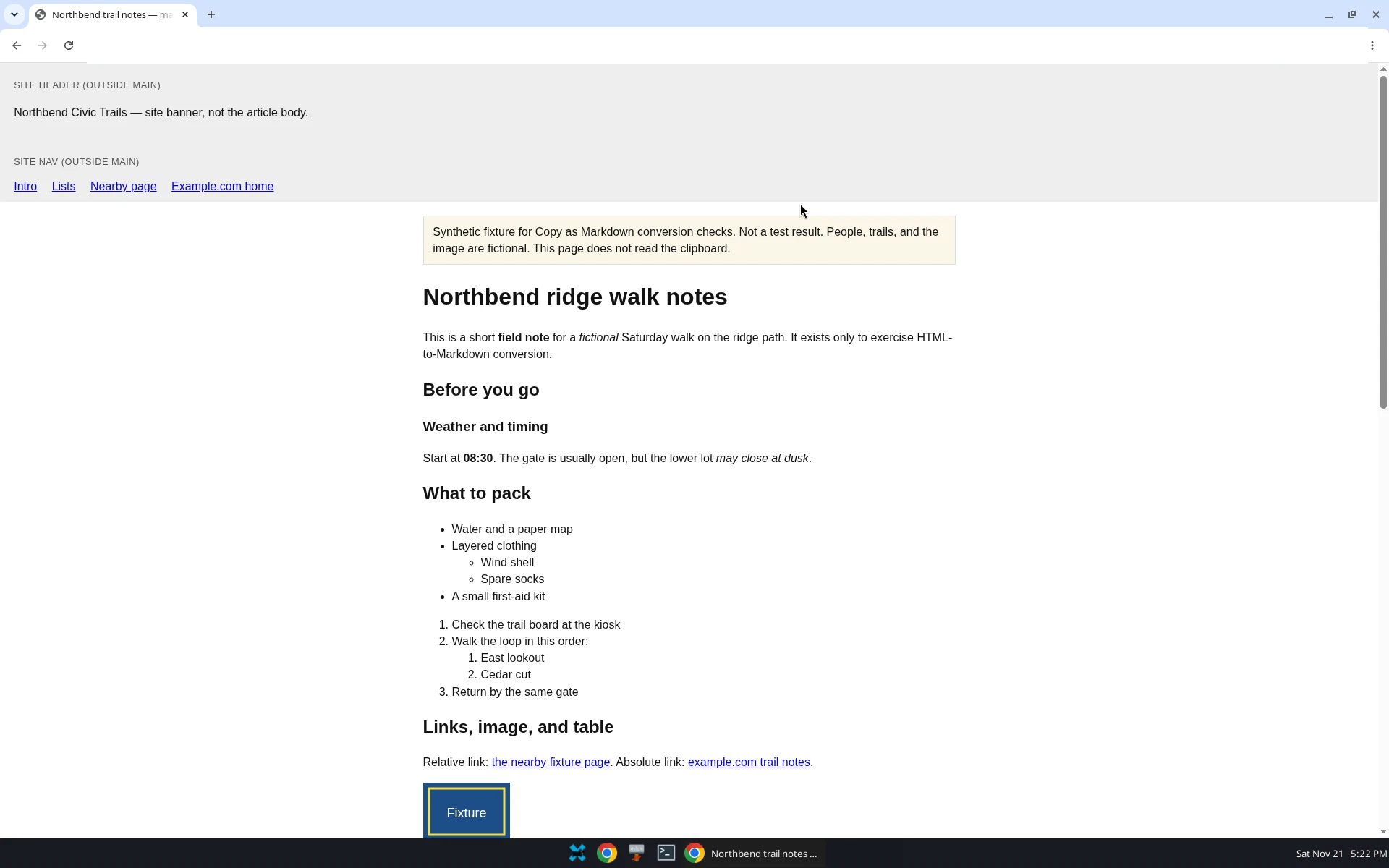
The install prompt listed “Display notifications” and “Modify data you copy and paste.” No host-access prompt appeared. A select-all copy, repeated with Alt+Shift+M, included the article plus the header, navigation and footer. With nothing selected, Alt+Shift+M twice and one toolbar click returned the same article Markdown and left the header, navigation and footer out.
Tab two: MDN and the other commands
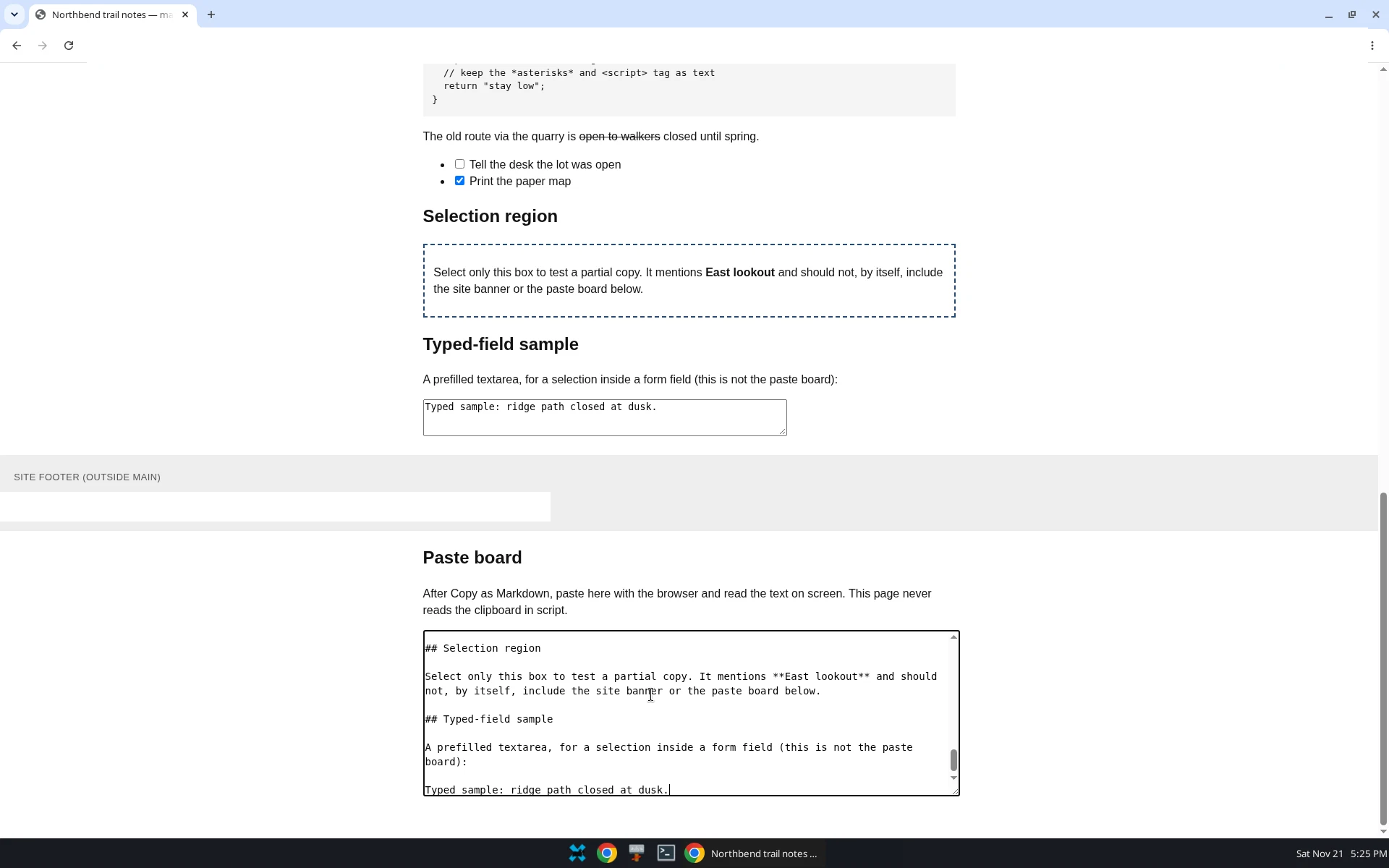
A narrow MDN “Basic table” selection, repeated, stayed in that section. Copy Link as Markdown produced the CSS link twice. In one selected-text run, that text became the link label. A text-field selection copied only the typed sample, twice. Toolbar page copy on MDN started at the article heading. Copy Page for AI — twice on the prepared page, once on MDN — put the title and source URL first and left images out. That is a clipboard format, not an AI-model test.
Tab three: Wikipedia kept the clutter
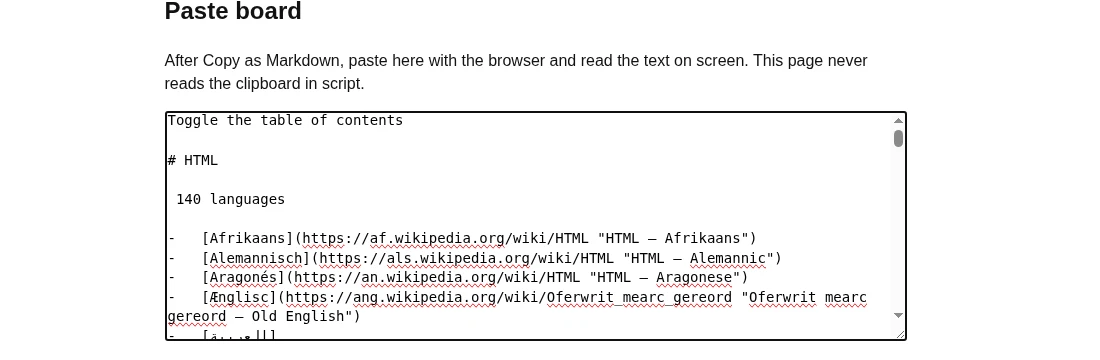
On Wikipedia’s HTML article, an explicit Copy Page command ran twice and showed the listing’s green toolbar check. The long Markdown paste still started with “Toggle the table of contents” and “140 languages,” and ended with category links. The command worked. The claim that page copy returns the main content without menus, headers or footers did not hold on this page.
An earlier empty-selection shortcut left the clipboard unchanged; we could not tell whether the extension ran.
What we didn’t test
Not tested: performance, offline use, leftover data after uninstall, restricted browser pages, and Keep-style implicit bold and italic. Browser restart and crash recovery were not tested because browser isolation was not verified. Three later MDN copies matched earlier output; these were not recovery tests. A Default-mode network log did not attribute requests to the extension; that is not a local-only guarantee.
Pricing
| Plan | Price | What we saw |
|---|---|---|
| Install on 2026-11-21 | No price on the listing that day; no charge or signup for version 1.2.1 | Commands ran after install, with no account |
Verdict
Handy on a simple page. Do not count on every page copy arriving stripped of navigation.
Tested on November 21, 2026 with version 1.2.1 on Chrome 156.0.8078.47.
| Area | Score |
|---|---|
| Ease of use | 8/10 |
| Value | 8/10 |
| Reliability | 6/10 |
| Support | 6/10 |
| Overall | 7.0/10 |
Ease 8: an experienced tester, with MDN already open, confirmed a page copy about 55 seconds from starting installation and about 13 seconds on a second copy, including on-screen steps — not a speed test or a novice first try. Selected-text link labels and an unset optional shortcut added mild friction. Value 8: the free install ran the core jobs we tried, with clear limits. Reliability 6: Wikipedia failed the main-content-only claim; untested restart and crash recovery do not raise this score. Support 6: basic FAQ, no changelog, and replies to all three store reviews (median seven days); we did not contact the developer. No Privacy score.
FAQ
Does page copy leave out the header and footer? On our prepared test page, yes. On Wikipedia, the paste still included navigation and category lists.
Is Copy as Markdown free? On November 21, 2026, the listing showed no price, and no signup was required.
How do I uninstall Copy as Markdown? Open chrome://extensions, find Copy as Markdown, and click Remove. See Install and manage extensions.
Sources
- FutureTechSpot hands-on test of Copy as Markdown 1.2.1, November 21, 2026
- Chrome Web Store listing for Copy as Markdown (read 2026-11-21)
- Copy as Markdown website
- Copy as Markdown privacy policy (updated September 4, 2026). The policy says conversion runs on the device; we did not verify that
- Install and manage extensions (Google Chrome Help)
Change log
- Not yet published. Revised November 21, 2026 after a same-session follow-up. Overall 7.0/10.
See how we test and all our Chrome extension reviews.
Related Stories

Ad Block Ghost Review 2026: Pin the Ghost. Friday Night Gets Quiet.
A free 4MB Chrome blocker for fake download buttons and streaming pop-ups, with YouTube off until you ask.
Bravo Review 2026: The Mixmax Founder Built Another Inbox Sidekick
A DC sidebar that wants Gmail, Calendar, and Drive in the same chat as the page. We did…

Umbra Mail Review: A Calmer Gmail, Almost
We tested Umbra Mail 1.25.6 hands-on: a free, open source Chrome extension that redraws Gmail into a calm…